
Home Screen widget
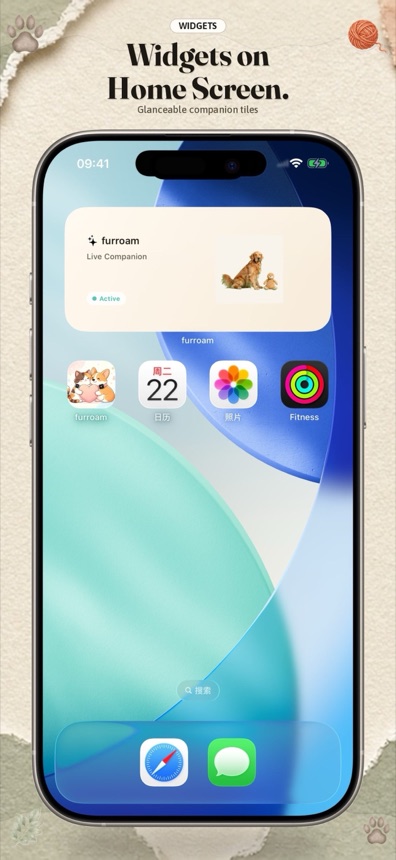
Place a companion tile among your apps. It can show the character and a recent state without making you open Furroam first.
Pet widgets for iPhone
A small Furroam cat or dog can appear in a Home Screen widget, on the Lock Screen, and in Dynamic Island on supported devices. It is a quiet reminder of your companion without opening another app.
Widget and Live Activity features depend on the iPhone model, iOS version, and app permissions.
Three small surfaces
Furroam uses familiar iOS surfaces for a quick glance. The full timeline, journal, and companion controls remain inside the app.
Place a companion tile among your apps. It can show the character and a recent state without making you open Furroam first.
See a recent companion state on a supported Lock Screen. It is designed for a glance, not for detailed activity analysis.
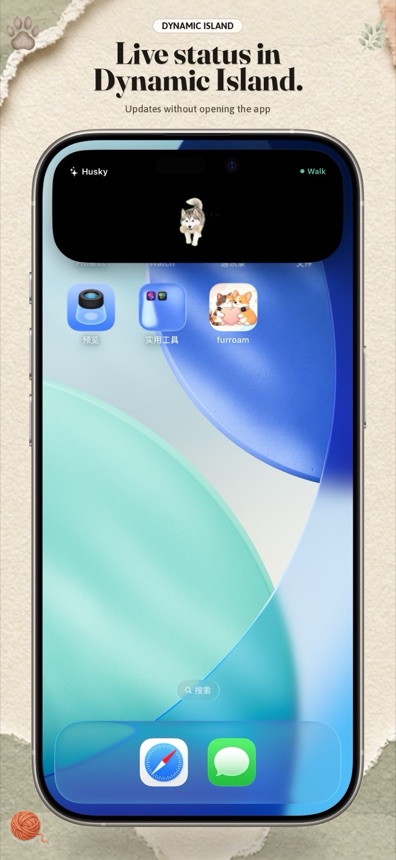
On supported iPhones, a Live Activity can keep a small companion presence visible while you use other apps.
Add a widget
Lock Screen and Dynamic Island availability can differ by device. If Furroam does not appear in the gallery, confirm that the app is installed and the device supports the feature.
A glance, not a dashboard
Widgets are not a replacement for the full journal or the activity timeline. They show a compact recent state so you can reconnect with the companion in a second.
Common questions
The exact widget options depend on the iPhone, iOS version, and current app build.
No. You can use a virtual companion without a real pet, iPhone activity connection, or Apple Watch.
No. Widgets are designed for compact, glanceable states. The animated companion and full interface live inside the Furroam app.
Widget updates are controlled by iOS. Furroam uses the system widget and Live Activity surfaces rather than keeping a video playing in the background.
Furroam has dedicated experiences for iPhone and Mac. Available widget sizes and surfaces depend on the platform and operating-system version.
Choose a virtual cat or dog, then add Furroam to the iPhone surfaces that fit your day.